Shopify Payments is not available in Nepal. This app puts the three payment methods your Nepali customers actually use on the order page they already trust. Works on any Shopify plan, and we provision your private install.
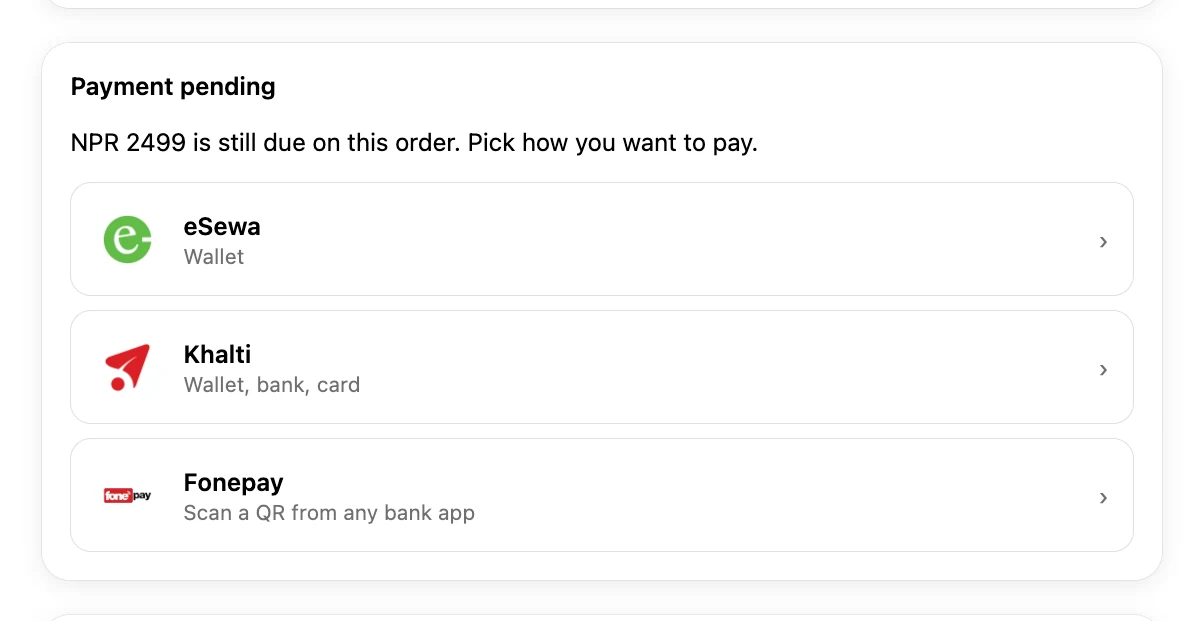
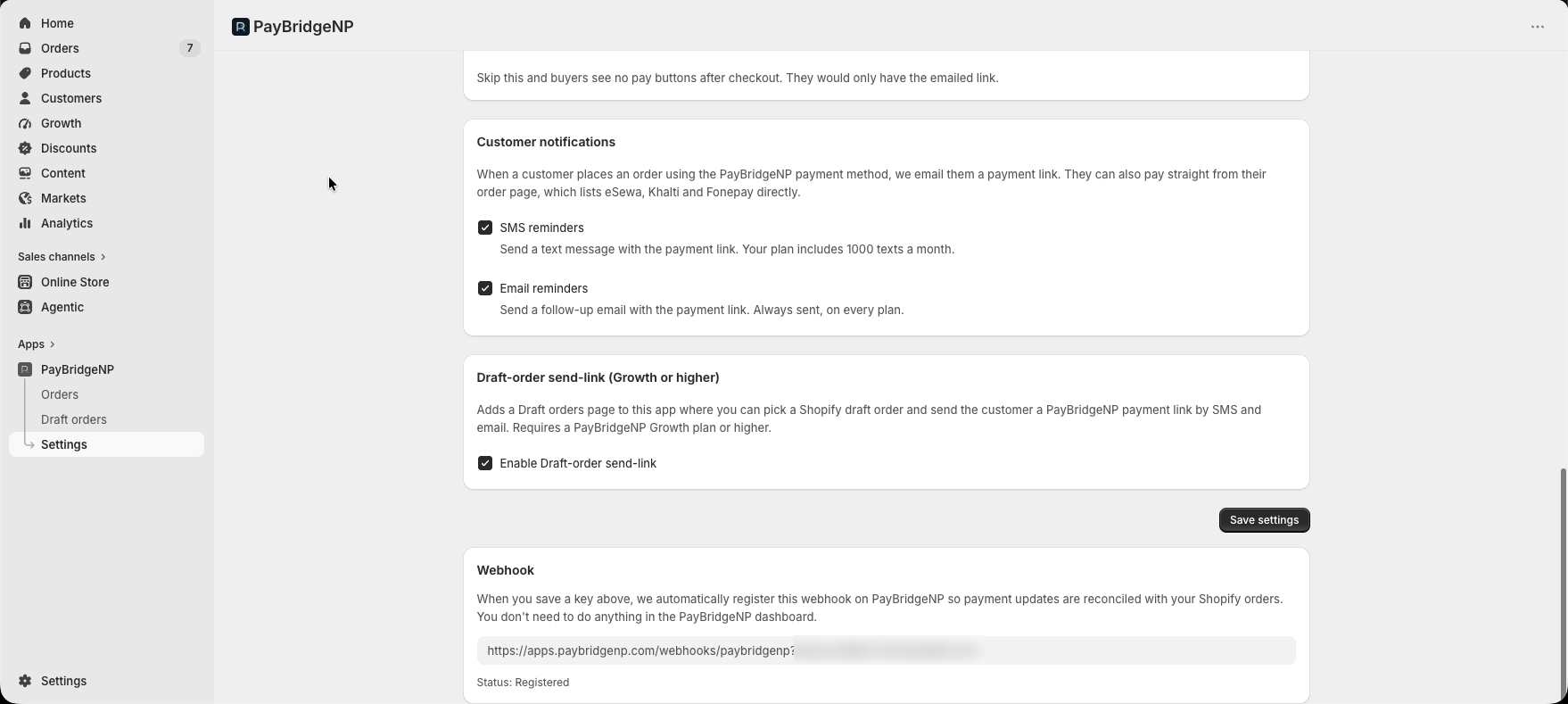
Shopify's own checkout, the order page offering eSewa, Khalti, and Fonepay, the eSewa sign-in, and the order back on Shopify with the payment recorded.
An edited recording of an eSewa sandbox payment on a real Shopify store with the app installed. Every screen is the real product; waits and a captcha were cut. The store, buyer, and order are demo data.
How it works
Three steps from checkout to Paid
Shopify keeps ownership of the cart, shipping, discounts, taxes, and customer data. PayBridgeNP handles the payment and the reconciliation. Everything else on your store stays exactly how you set it up.
1
Customer places an order
Your customer picks PayBridgeNP at Shopify checkout. The order stays Pending while the app prepares secure eSewa, Khalti, and Fonepay payment options.
2
Customer pays from their order
The optional PayBridgeNP block puts each enabled provider on the Shopify customer-account order page. Email and SMS reminders are the backup if they leave.
3
Shopify order flips to Paid
The order flips to Paid as soon as the provider confirms the payment. No spreadsheets, no manual reconciliation, no end-of-day matching.
Before you install
What you need
Your own provider account
eSewa, Khalti, or Fonepay, one or all three. The money settles there.
An NPR store and a PayBridgeNP key
The Free plan is enough: 0% platform fee, Rs 50,000 a month of live volume. Pricing
Two things to set up in Shopify
A manual payment method with the name the app gives you, and the optional order-page block.
Refunds in the PayBridgeNP dashboard
Each one is mirrored onto the Shopify order; the app tells you if Shopify rejects it.
Permissions the app asks for: orders (read and write, to mark them paid and cancel unpaid ones), draft orders, products (read), and customers (read and write, for reminders and data-deletion requests).
Install
Get your install link
Tell us your .myshopify.com store and the email where you want the link. We provision a private app and send it, usually the same day.
What happens next
We provision your private app
Each Shopify store gets its own app. We set it up and bind it to your .myshopify.com domain, usually within one business day.
The install link lands in your inbox
You receive an email with a one-time install URL. Open it from the address you entered above, on the device where you manage Shopify admin.
Approve in Shopify admin
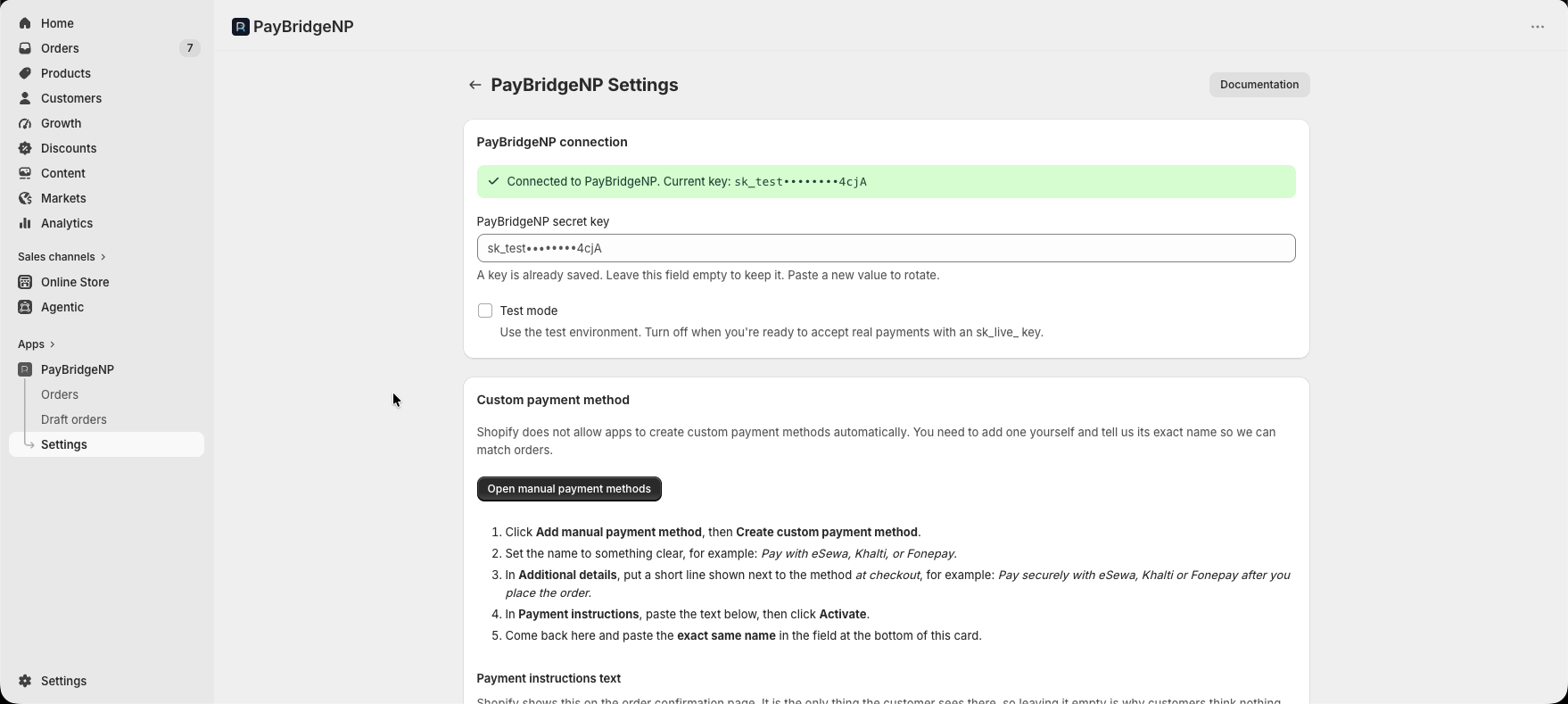
Click Install, review the permissions, and approve. PayBridgeNP appears under Apps. Then paste your PayBridgeNP API key, create the manual payment method in Shopify with the exact name the app shows you, and add the optional order-page block.
Nothing changes on your store until you approve the app. Your checkout stays exactly as it is today.
Product tour
Runs inside your Shopify admin
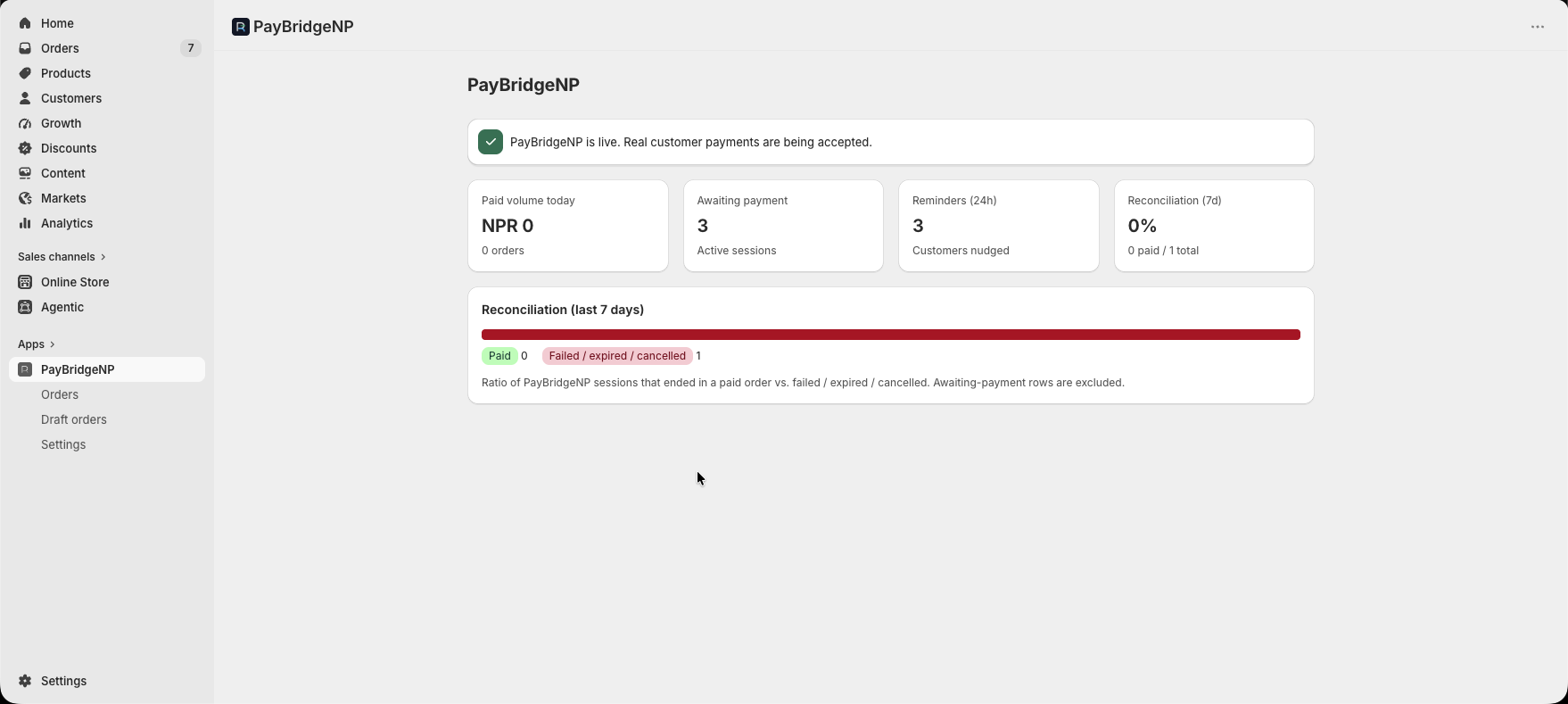
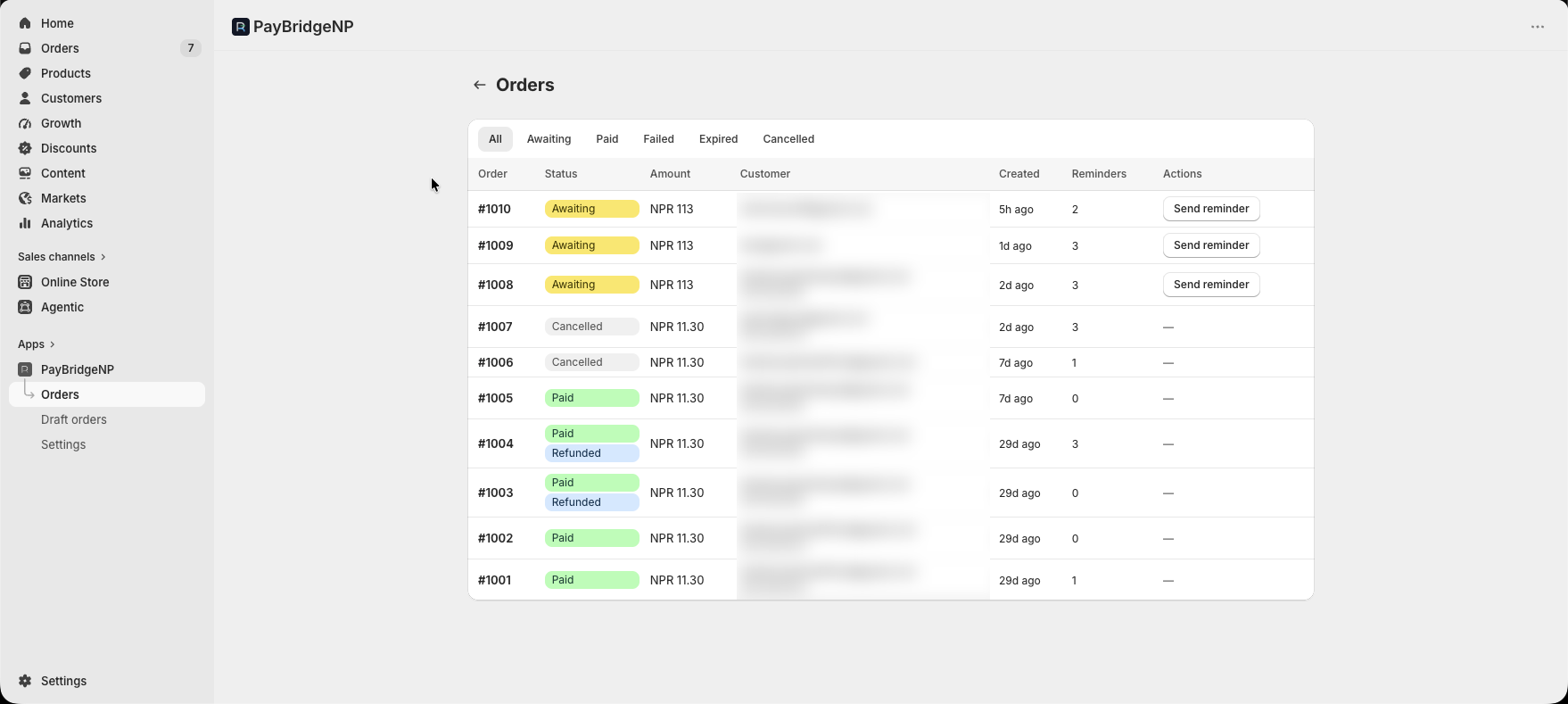
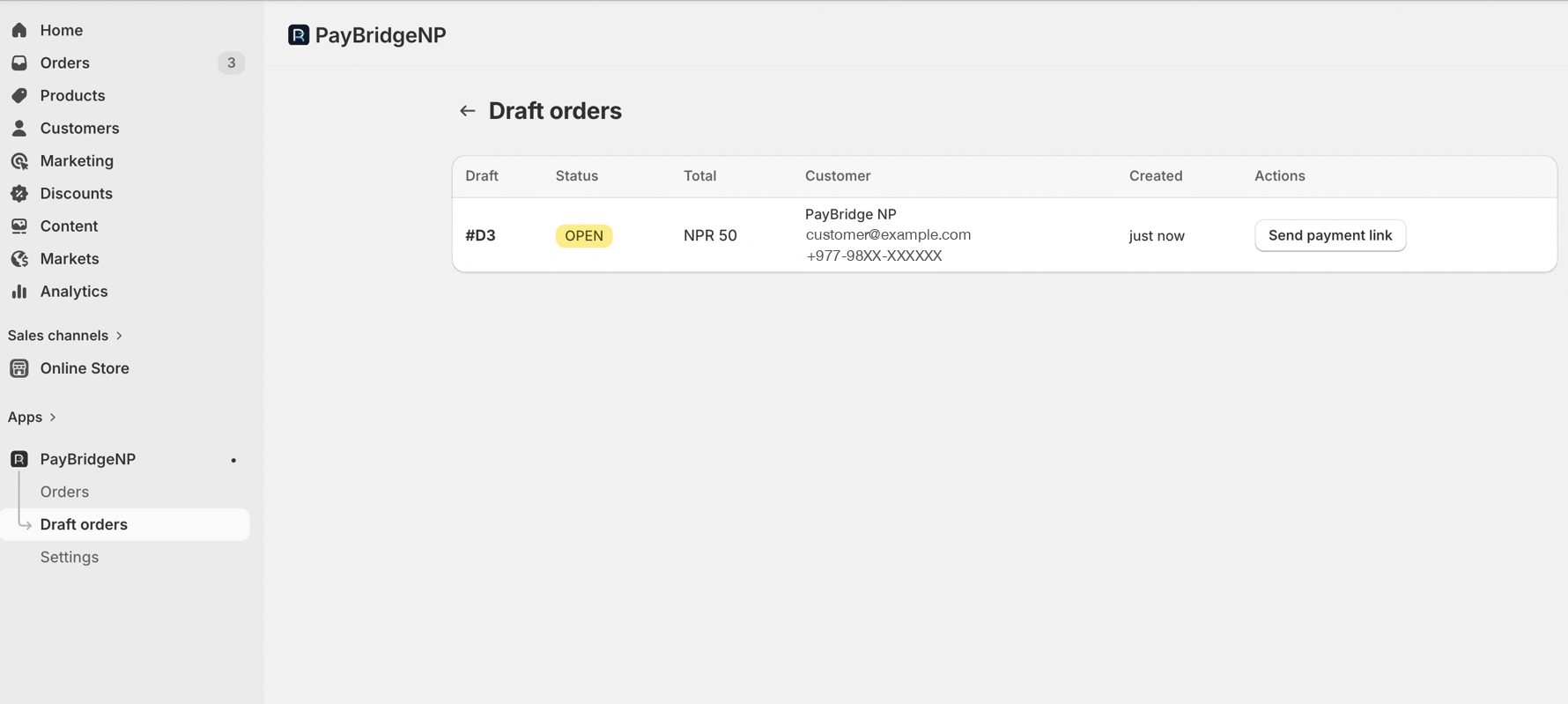
PayBridgeNP lives as an embedded app inside Shopify - same navigation, same theme. Day-to-day orders stay in Shopify admin; the PayBridgeNP dashboard is for your API key, plan, and refunds.
Embedded dashboard
Today's paid volume, pending payments, reminder stats, and a 7-day reconciliation rate chart. Everything you need at a glance without leaving Shopify admin.
Features
Everything a Shopify merchant needs
We built this for real Nepali Shopify stores, not a checkbox listing. Every feature here solves a problem we hit in production during early-access testing.
1
Payments that reconcile themselves
Automatic reconciliation
Orders flip from Pending to Paid as soon as the provider confirms the payment. No spreadsheets, no nightly batch jobs.
48-hour auto-cancel
Stale unpaid orders auto-cancel after 48 hours with inventory restocked. Your storefront never shows phantom pending orders.
Order status
#1042
Pending payment
Pending
#1042
NPR 3,499 · Khalti
Paid
Reconciled automatically
2
Pay from the order page
Pay now in the customer account
Add the PayBridgeNP block to the Shopify order page and returning buyers can choose eSewa, Khalti or Fonepay there, without finding an old message.
Email reminders, SMS on Growth and up
If a customer leaves before paying, friendly reminders bring them back at T+30m, T+4h, and T+24h. Email works on every plan; live SMS starts on Growth.
Reminder schedule
T+30mEmail + SMSScheduledSending…Sent
T+4hEmail + SMSScheduledSending…Sent
T+24hEmail + SMSScheduledSending…Sent
3
Refunds and compliance
Partial refunds, mirrored
Process refunds in the PayBridgeNP dashboard and the app mirrors them onto the Shopify order as Partially refunded or Refunded. If Shopify rejects the update, the app tells you so you can record it there by hand.
Privacy webhooks and retention
Handles Shopify's customer and shop redaction webhooks, and deletes customer email and phone from paid, cancelled, and expired payment records after 90 days.
Refund mirror
PayBridgeNP dashboard
Refund NPR 500
Shopify admin
Partially refunded
Compatibility
What we support today
Transparent up front: here's exactly what works, what doesn't, and what's on the roadmap.
Detail
Support
Shopify plans
Basic, Shopify, Advanced, Plus
Currency
NPR only
Regions
Nepali merchants
Distribution
Direct/custom install
Refund method
PayBridgeNP dashboard
FAQ
Questions we get a lot
Straight answers on plans, refunds, and how customers pay.
Does it change my Shopify checkout?
No. Your customer goes through Shopify's normal checkout and picks PayBridgeNP as the payment method. Shopify keeps the cart, shipping, discounts, taxes, and customer data. Payment happens right after the order is placed, from the order page or from the link the app sends. Nothing about your checkout or theme changes.
Which Shopify plans does it work on?
All of them. Shopify Basic, Shopify, Advanced, Shopify Plus - anywhere you can create a custom manual payment method in Settings → Payments, this app works. No plan upgrade required.
What does it cost?
The app is free to install and there is no per-store fee or App Store markup. PayBridgeNP charges a flat monthly plan fee and 0% of your transactions: the Free plan covers live volume up to Rs 50,000 a month, and Growth and Pro raise that cap. eSewa, Khalti, and Fonepay charge their own merchant fees, which settle with the money. Plan details are on the pricing page.
Can I refund through Shopify admin?
Partially. Clicking Refund in Shopify admin adds a reminder tag to the order, but the actual refund must be processed from the PayBridgeNP dashboard. Once you click Refund in PayBridgeNP, the app mirrors it onto the Shopify order as Partially refunded or Refunded, and tells you if Shopify rejects the update so you can record it there by hand - no double bookkeeping. This is a constraint of Shopify's manual payment method system, not our app.
What about multi-currency stores?
NPR only for now. If your Shopify store is set to NPR, everything works. If not, orders placed with the PayBridgeNP payment method are skipped and logged, and stay on Shopify's own payment status. Multi-currency is on the roadmap.
How do customers actually pay?
After standard Shopify checkout, the optional PayBridgeNP block lets returning buyers choose eSewa, Khalti, or Fonepay from their Customer Account order page. PayBridgeNP also sends a secure checkout link by email, plus SMS on Growth and up, so customers can recover if they leave.
Does this modify the Shopify checkout?
No. The customer completes the standard Shopify checkout, then pays from the optional PayBridgeNP block on their Customer Account order page or from a secure recovery link. This keeps the integration compliant with Shopify's API Terms.
Is it on the Shopify App Store?
No. The regular Shopify App Store path is closed for this integration because Shopify treats post-checkout payment links as payment processing that belongs on the Payments App Platform. Current installs use a direct/custom distribution flow for each merchant.
Ready to install
Put PayBridgeNP on your Shopify store
Tell us your .myshopify.com store domain and we'll send your private install link, usually within one business day. Free to install. Your PayBridgeNP plan and provider fees still apply.