
eSewa, Khalti, and Fonepay inside WHMCS
Gateway module for hosts and domain resellers running WHMCS. One install puts eSewa, Khalti, and Fonepay on every invoice, with eSewa and Khalti refunds from admin, Fonepay refunds from the PayBridgeNP dashboard, and the money settling to your own provider accounts.
How it works
From download to live in 10 minutes
A standard WHMCS gateway module. No Marketplace approval to wait on, no Composer.
1
Download the ZIP
About 85 KB, with the PayBridgeNP PHP SDK inside. No Composer on your server.
2
Extract it in your WHMCS root
Files land under modules/gateways/. On upgrade they overwrite in place and your settings stay.
3
Activate and paste your key
WHMCS 9: Apps & Integrations. WHMCS 8: System Settings → Payment Gateways. Paste your sk_test_ or sk_live_ key.
4
Register the webhook
Dashboard → Webhooks → Add endpoint with the URL below. Paste the whsec_ secret into the gateway and save.
Webhook endpoint
https://your-whmcs-url/modules/gateways/callback/paybridgenp.php
Events: payment.succeeded, payment.failed. Use the full path; the WHMCS homepage answers 200 and ignores the payload.
What it looks like
A normal WHMCS gateway, nothing bolted on
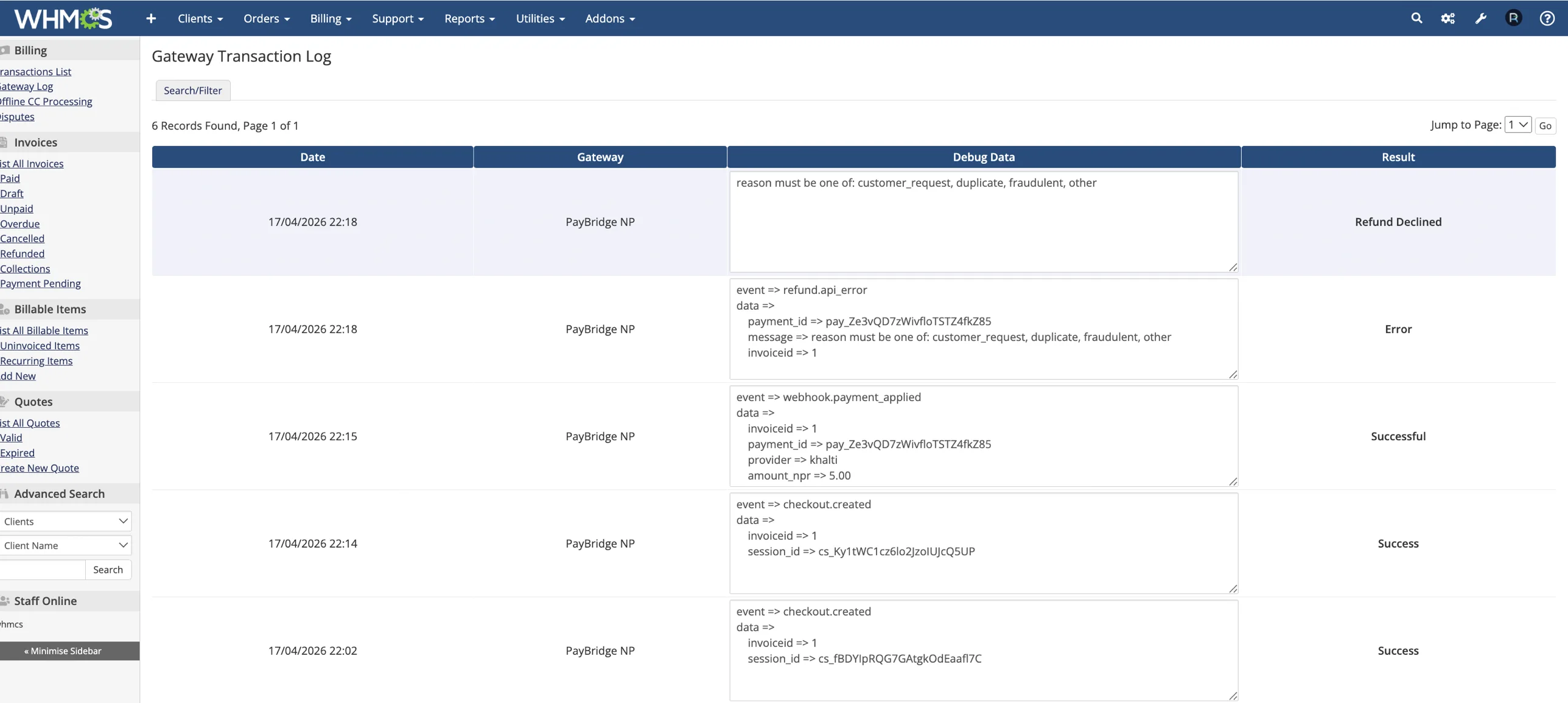
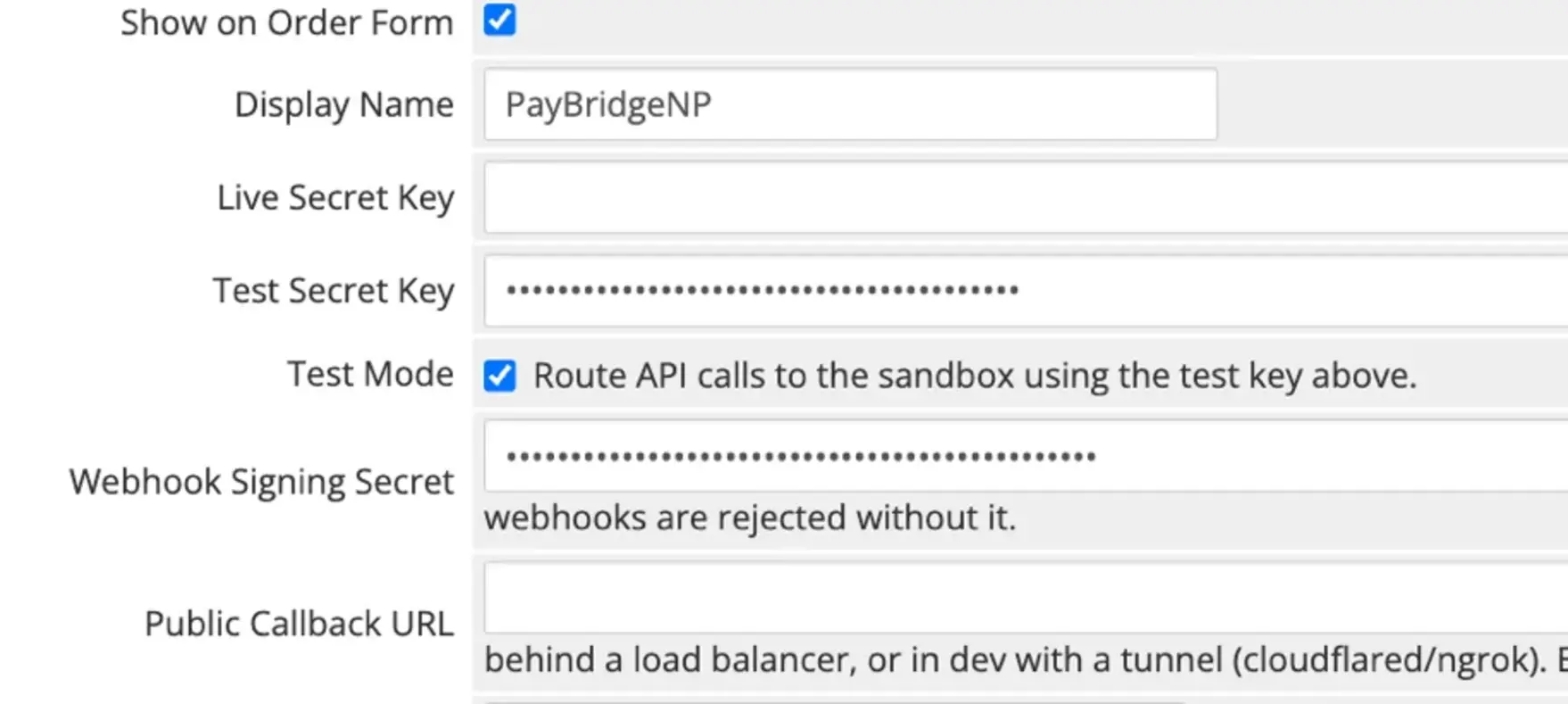
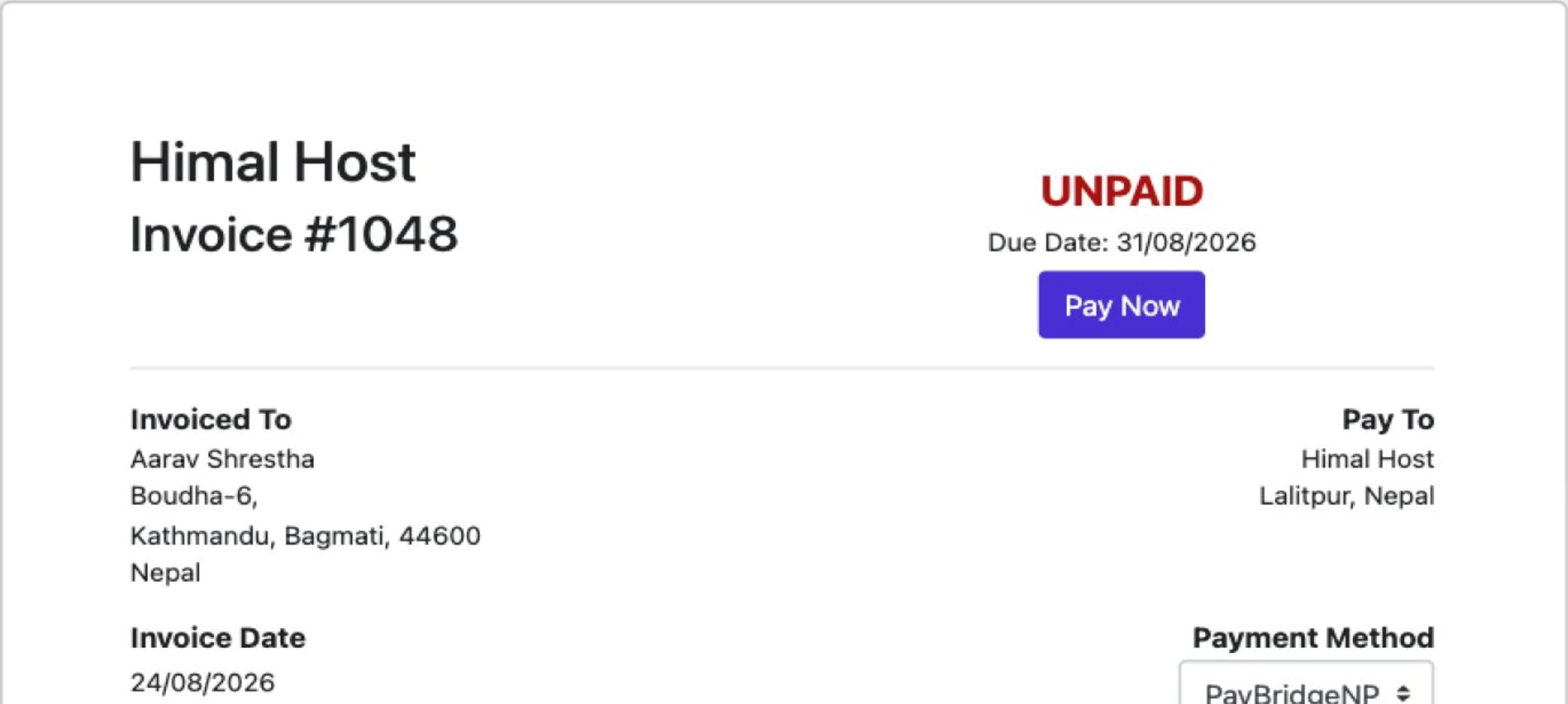
Three screens from a WHMCS 8.13 install running the module. No custom admin pages, no separate panel to learn.
One settings screen
Keys, test mode, webhook secret, and the callback override. That is the whole form.
The module
What you get, and what it needs
- Providers
- eSewa, Khalti, and Fonepay (when configured for your project). The payer chooses, or you force one.
- Refunds
- Khalti and eSewa from WHMCS admin. Khalti completes automatically, partial amounts included. Pay out eSewa refunds in the eSewa merchant portal, then mark the invoice refunded. Fonepay from the PayBridgeNP dashboard.
- Webhooks
- Required. HMAC-signed with a 5-minute replay window; a bad signature gets HTTP 400 and an unsigned request never moves an invoice.
- Replays
- A redelivered webhook never double-posts, via WHMCS's own checkCbTransID guard.
- Gateway Log
- Every checkout, webhook, and refund attempt, keys and signatures redacted. Raw requests too, with Debug Logging on.
- Tunnels, load balancers
- Optional Public Callback URL override for when your System URL is not reachable from the internet.
- Recurring billing
- Not supported. Nepali wallets cannot be charged without the payer, so WHMCS emails the renewal invoice and the client pays it.
- Currency
- NPR only. Non-NPR invoices are refused by the API with a clear error.
- WHMCS
- 8.0 to 9.0, tested on 8.13 and 9.0
- PHP
- 7.4 or newer, with curl, json, and ionCube Loader
- Licence
- GPL-2.0-or-later, source in the ZIP. The vendored SDK is MIT.
FAQ
Questions we get a lot
What does it cost?
The module is free. PayBridgeNP charges 0% per transaction; your PayBridgeNP plan and the providers' own fees apply, the same as on any other integration.
What do I need before I start?
A PayBridgeNP account with a project and an API key, the webhook signing secret from the dashboard, file access to your WHMCS server (SFTP, SSH, or your host's file manager), and a WHMCS URL reachable over HTTPS from the internet.
How do upgrades work?
Download the new ZIP and extract it over the old files. They overwrite in place; your gateway settings live in the WHMCS database, so nothing needs re-entering.
Can I test locally or behind a load balancer?
Yes. Set the Public Callback URL in the gateway settings and the module uses it for the return and webhook URLs instead of your System URL. Works with cloudflared or ngrok for local development.
Ready to install
Add PayBridgeNP to your WHMCS
Free, GPL, on the Marketplace. Your clients pay with eSewa, Khalti, or Fonepay on their next invoice.