
The bugs that cost money tend to sit outside the happy path: in the customer who cancels, the payment that expires, the retry after a timeout, and the confirmation that arrives twice. All of them can be tested before launch. This checklist covers the scenarios worth testing for an eSewa, Khalti and Fonepay integration, how to trigger each one, and what your system should do.
Last verified: 25 October 2026, against eSewa's and Khalti's developer docs and the PayBridgeNP sandbox testing guide.
Before you start
- eSewa and Khalti have full sandboxes. The test logins are in eSewa test credentials and Khalti test credentials.
- PayBridgeNP test mode has no Fonepay sandbox the way it has for eSewa and Khalti. Testing Fonepay means real money moving through your real merchant account. Keep test payments tiny, such as Rs 10, and refund them afterwards.
- Webhooks need a public URL. On a laptop, use a tunnel such as ngrok or Cloudflare Tunnel so the sandbox can reach your server.
- Write down what "correct" looks like for each scenario before you run it: the order status, what the customer sees, and what your logs show.
The checklist
| # | Scenario | How to trigger it | What should happen |
|---|---|---|---|
| 1 | Successful payment | Pay with a test login | Order paid once, customer sees a confirmation, amount matches |
| 2 | Customer cancels | Press cancel on the eSewa or Khalti page | Order stays unpaid, customer can try again or pick another method |
| 3 | Payment page left open | Start a payment and do nothing until it expires | Order stays unpaid, and a later attempt works |
| 4 | Retry after cancelling | Cancel, then pay again for the same order | The second attempt succeeds, and the first marks nothing paid |
| 5 | Double tap on Pay | Click your pay button twice quickly | One payment session, or two that cannot both be paid for |
| 6 | Return page opened twice | Pay, then reload or reopen the return URL | Order still paid once, no second receipt |
| 7 | Webhook arrives twice | Send the same event again (see below) | Second delivery is a no-op |
| 8 | Webhook before the return page | Pay and close the tab before the redirect | Order still becomes paid from the webhook or your status check |
| 9 | Forged return URL | Open the return URL by hand with made-up values | Nothing is marked paid |
| 10 | Wrong amount | Edit an order's total after starting a payment, then pay | The order is not marked paid for the old amount |
| 11 | Provider slow or down | Point a test at a URL that times out | The order stays pending as "unknown", not failed |
| 12 | Sandbox event in live | Send a sandbox webhook to your live handler | Ignored |
Notes on the trickier ones
3. Expiry. Khalti payment links expire; a lookup then returns Expired. On eSewa, a session that was never paid usually shows as NOT_FOUND on the status check. Make sure your code treats these as "not paid" without crashing on Khalti's HTTP 400 for Expired. The full list is in eSewa and Khalti error codes.
5 and 6. Doubles. These pass only if your server uses an idempotency key when it creates the payment, and marks the order paid with an update that succeeds once. Stop double charges explains both.
7. Duplicate webhooks. A real duplicate is the same event delivered twice, with the same IDs. To produce one, make your handler record a real test payment's event and then answer with an error, so the delivery shows as not delivered. In the PayBridgeNP dashboard, open Webhooks, open your sandbox endpoint, and press Replay on that delivery: it sends exactly the same event again, and your handler must not act on it twice. (Replay is offered only for deliveries that did not succeed.) (Send test event is for checking that your endpoint answers at all; each one is a new event with new IDs, so it does not test duplicates.) Our free webhook debugger can also send a payload to your endpoint and show the response; paste one you captured from a real delivery, because its sample payload is simpler than a real event.
8. The closed tab. Do the payment on your phone, then close the browser on the provider's page as soon as it says paid. If the order never becomes paid, you are relying on the return page alone. Add a webhook or a scheduled status check.
9. The forged return. Paste your return URL into a browser with a fake pidx, data or status. A safe integration looks up only IDs it issued itself and confirms them with the provider.
11. Slow providers. If a sandbox is slow or down while you test, use it to test this one. A timeout must never mark an order failed: the customer may have paid.
Fonepay: test with real money, carefully
In PayBridgeNP test mode, Fonepay scenarios are tested live:
- Use your own Fonepay merchant account and a real bank app, with amounts like Rs 10.
- Test a success, a QR that times out unpaid, and a payment made just after the QR's countdown ends.
- Refund your test payments from your merchant tools afterwards, and keep a note of them for your accounts.
In PayBridgeNP test mode, Fonepay runs against your own credentials too, capped at Rs 1,000 per payment and Rs 5,000 a month so test costs stay small.
Before you flip to live
- Live keys and live URLs everywhere, and no
EPAYTEST,rc-epayordev.khalti.comleft in production config - Your live merchant accounts approved and connected
- Webhook endpoint registered for live, with the live signing secret
- One real payment of a small amount through each provider, refunded afterwards
- Someone knows where to look when a customer says "I paid but..."
Testing with PayBridgeNP
In PayBridgeNP test mode, a test API key (sk_test_) runs eSewa and Khalti through their sandboxes with credentials we manage, so you can test every eSewa and Khalti scenario above before you have any merchant account. Fonepay scenarios need your own Fonepay merchant account and move real money.
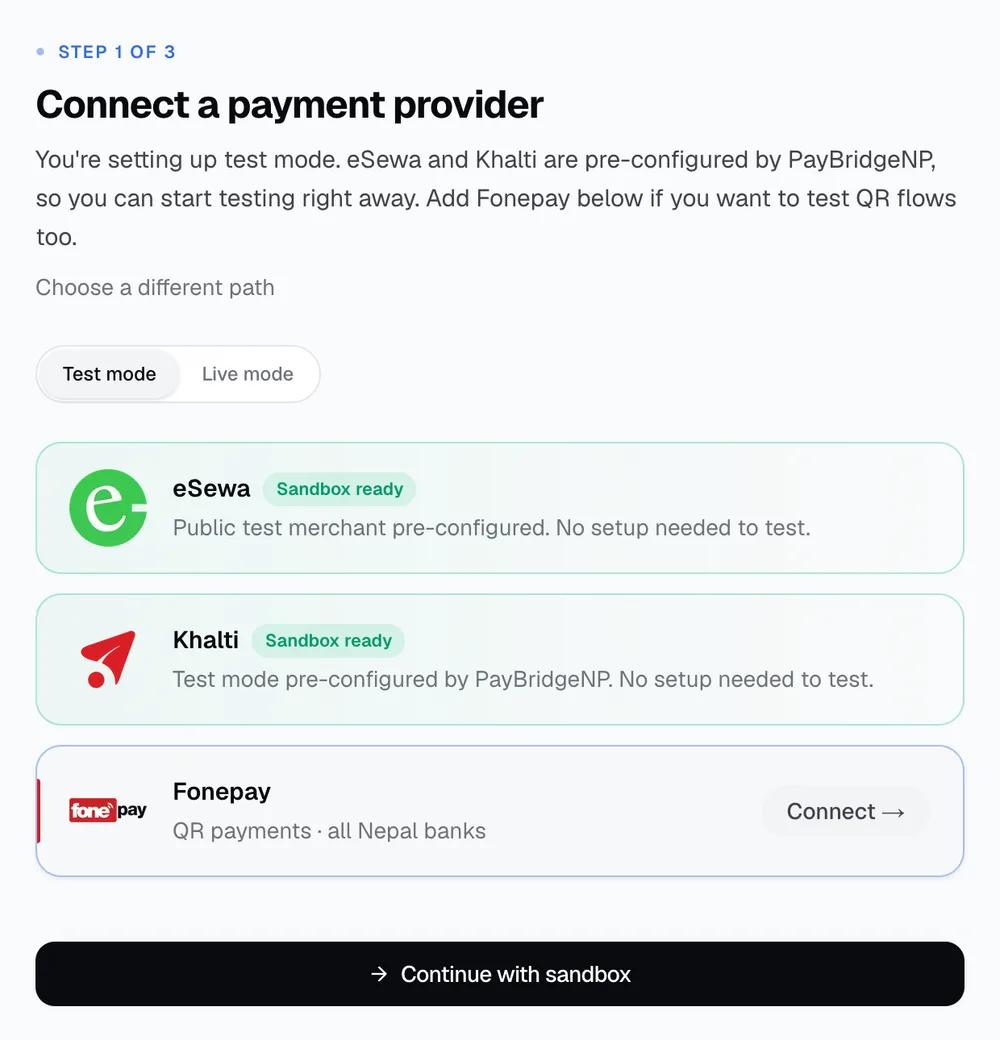
Webhooks are delivered in test mode exactly as in live, each event says whether it is live or test, and switching to live is a change of key. Payments in live mode settle straight into your own merchant accounts.
Next Steps
- Test logins: eSewa and Khalti.
- Every status and error: eSewa and Khalti error codes.
- Make duplicates harmless: stop double charges.
- Get sandbox keys in the PayBridgeNP dashboard.
Related Articles
- Confirming Payments in Nepal: Verify Webhooks, Don't Trust the Redirect
- Idempotency for eSewa, Khalti and Fonepay: Stop Double Charges
- eSewa and Khalti Error Codes and Statuses Explained (2026)
- Khalti Test Credentials (2026): Test IDs, MPIN, OTP and Keys
- Nepal Payment Gateway API: Integration Guide for Developers